Your year on Google Maps, wrapped
Updated October 11, 2026
At the end of the year, music and sports apps hand out their wrapped recaps. Google Maps contributors don’t get one for what they added to the map, even though they have plenty to look back on. Pinwrap makes that recap from your Google Takeout export, for this year, an earlier one or all of them together. It’s a short story in full screen, followed by images you can share.
What your recap shows
The recap plays like a story, one slide after another, at your own pace. You can pause it or move back and forth.
- Years on the map. How long you’ve been contributing, from your very first review or photo.
- Contributions. Everything you added in the year, reviews, ratings, photos, videos, answers and edits together.
- Views. How many times your photos and videos were seen, with a measure that makes the number concrete. One step per view, how far would you walk?
- Your most viewed photos. The photos that drew the most views, and their share of the total.
- Countries. Where you left a trace, on a turning globe, and the farthest place from home.
- Your style as a reviewer. Generous critic, fair judge or tough critic, from your average rating, and how many characters you wrote.
- Your words. The words that come back most often in your reviews.
- Your two levels. Your estimated Local Guides level next to your Pinwrap level, with the achievements you unlocked.
With “All years”, the views and the countries cover your whole history, and the slides speak of your story so far rather than of one year.
Four images to share
The last slide offers four images, each a 1080 × 1920 picture, the shape of a phone story.
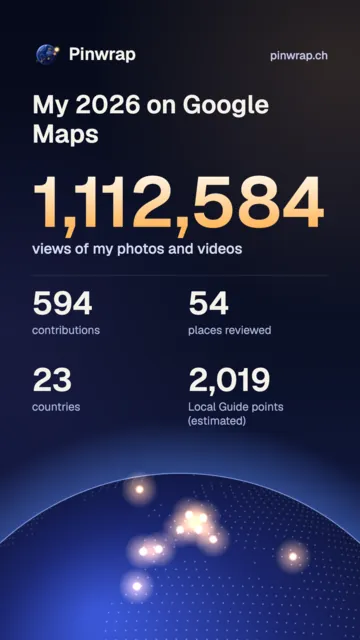
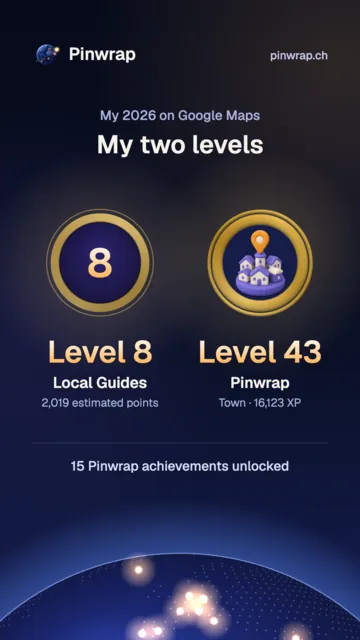
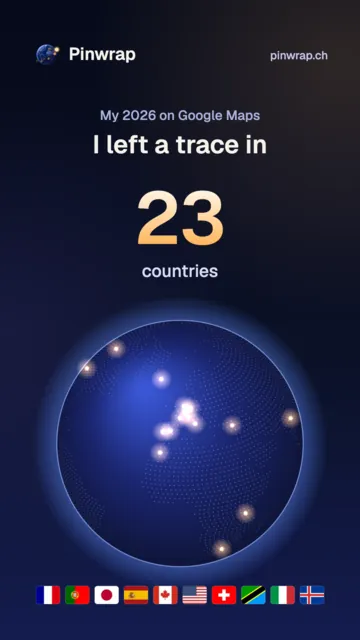
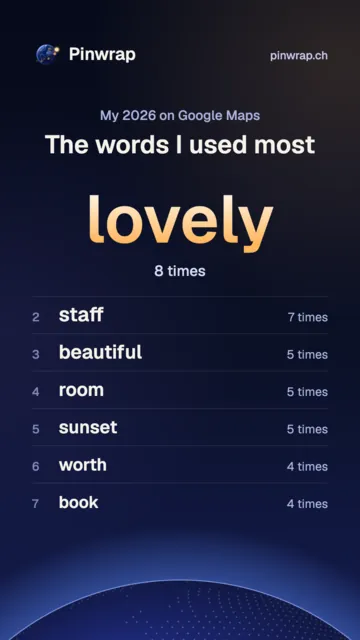
The four images, made from the demo’s invented data.
Numbers gathers the year’s main figures, with your photo views in large. Levels puts your Local Guides level beside your Pinwrap level. Globe shows the countries where you contributed, with their flags. Words lists the words you used most in your reviews.
The images are drawn on your device. On a phone you can share them straight to an app, and on a computer you download them as PNG files. They never show a precise position. The globe lights up whole countries at their centre, and nothing in the images points to your home.
Pinwrap levels and achievements
Your Local Guides level comes from Google’s points table, explained in the guide to levels and points. Pinwrap adds a second progression of its own, because Google’s levels stop at 10 and say nothing about travel or habits.
Each contribution in your export earns XP. A written review is worth more than a rating, a long one more again, and every few characters you write add a little. Each country brings XP too. Views count as twice the square root of their total, so a single photo that went viral can’t carry your level on its own. The XP sets a level from 1 to 100, grouped in ten tiers, from Pin, Trail and Street up to Globe and Pinwrap. Level 100 is meant for the best contributors in the world.
On top of that come 17 achievements, each with several tiers, like Globetrotter for countries, Storyteller for long reviews or Night owl for photos taken after dark. A tier’s material shows how rare it is. By Pinwrap’s estimate, roughly one active Local Guide in ten reaches silver, one in a hundred gold, one in a thousand platinum and one in ten thousand holographic.
These levels and achievements belong to Pinwrap alone. They aren’t Google’s, and they don’t change anything on your Google Maps profile.
How to make your recap
- Export your Google Maps data with Google Takeout. The Takeout guide walks through it.
- Open Pinwrap’s home page and drop all the parts of your export.
- Once the dashboard is open, press “Recap” at the top.
- Pick a year, or “All years”.
- Watch the slides or move through them, then choose an image on the last one and download or share it.
Everything happens in your browser. Your export is never uploaded, and you don’t need an account.
What it doesn’t show
The recap only uses what Google puts in the export. The views of your reviews aren’t in it, nor the likes they received, so the recap leaves them out. Your Timeline isn’t in Takeout anymore either, so the recap covers what you contributed, not every place you went.
Questions and answers
Is there an official Google Maps Wrapped?
Not for contributions. Google has sent some users an email recap of their Timeline, about the places they visited. Pinwrap's recap is independent and covers what you contributed, from your own export.
Can I make a recap of an earlier year?
Yes. The recap offers the years in which you contributed, the most recent first, and an "All years" version that tells your whole story on the map.
Does the shared image show where I live?
No. The images only show totals, your levels and your most used words. The globe lights up whole countries at their centre, never a precise place.
Is the recap free?
Yes. Pinwrap is free, with no account. The recap and its images are made in your browser, and nothing is uploaded.
Try it with your own export
Drop your Takeout export on Pinwrap's home page. Your browser reads it without uploading anything, and your stats open a few seconds later. No export yet? The demo shows everything with invented data.